别着急,坐和放宽
Auto DevOps provides pre-defined CI/CD configuration which allows you to automatically detect, build, test, deploy, and monitor your applications. Leveraging CI/CD best practices and tools, Auto DevOps aims to simplify the setup and execution of a mature & modern software development lifecycle.
GitLab 的 Auto DevOps 是一个亮点,博主对于其特性还不够了解,在此不多谈。本文仅介绍如何为自建的 GitLab 绑定 Google Kubernets Engine (GKE)。
GitLab 配置 Kubernets 节点的方式用两种,一种是绑定 GKE,一种是使用已存在的 Cluster ,但实测第二种貌似是用于 AWS ,这一点博主暂且不提。接着说本文重点 GKE。绑定 GKE需要配置 Google OAuth2 OmniAuth Provider。
领取GCP $200.00 赠金(可用3个月)

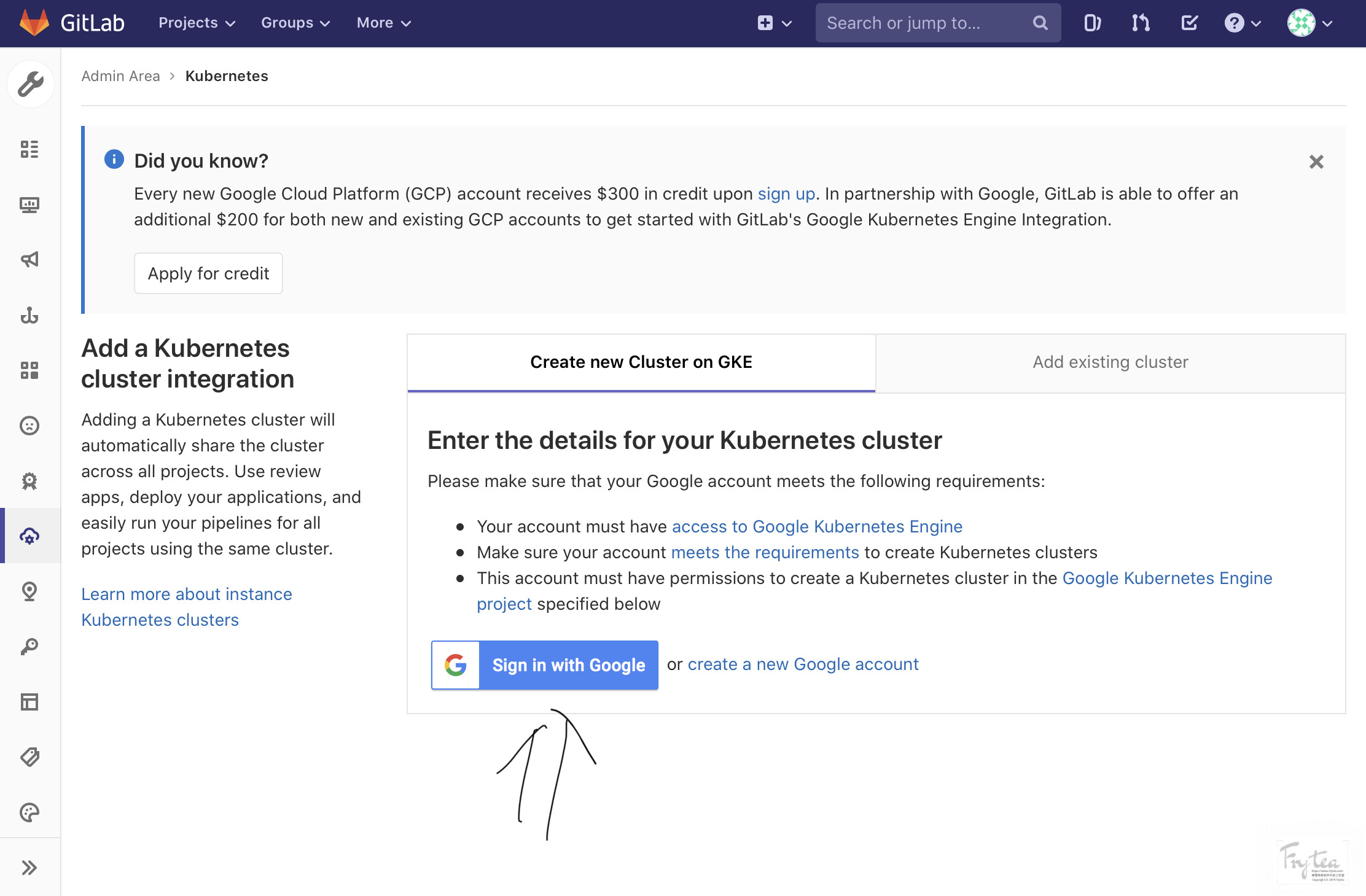
在根据上文 《KVM 虚拟机安装 GitLab EE》 配置完毕 GieLab,在 GitLab 绑定 Kubernets 节点的界面出现这样一段描述:
[tip type="info" title="Did you know?"] Every new Google Cloud Platform (GCP) account receives 200 for both new and existing GCP accounts to get started with GitLab's Google Kubernetes Engine . [/tip]
大概意思是说,谷歌为每一个注册 GCP 的新账户提供 200 的赠金用于整合 GKE 和 GitLab 的整合。于是抱着试一试的心态,点击按钮填写表单,没想到没过多久,就收到了邮件:

邮件告诉我,GCP 代表他们的合作伙伴为我提供了 $200 的信用额度,我可以使用这一额度构建自己的应用程序。兑换的信用代码需要在 30 天内兑换并在兑换后三个月内到期。
进入兑换,成功兑换。
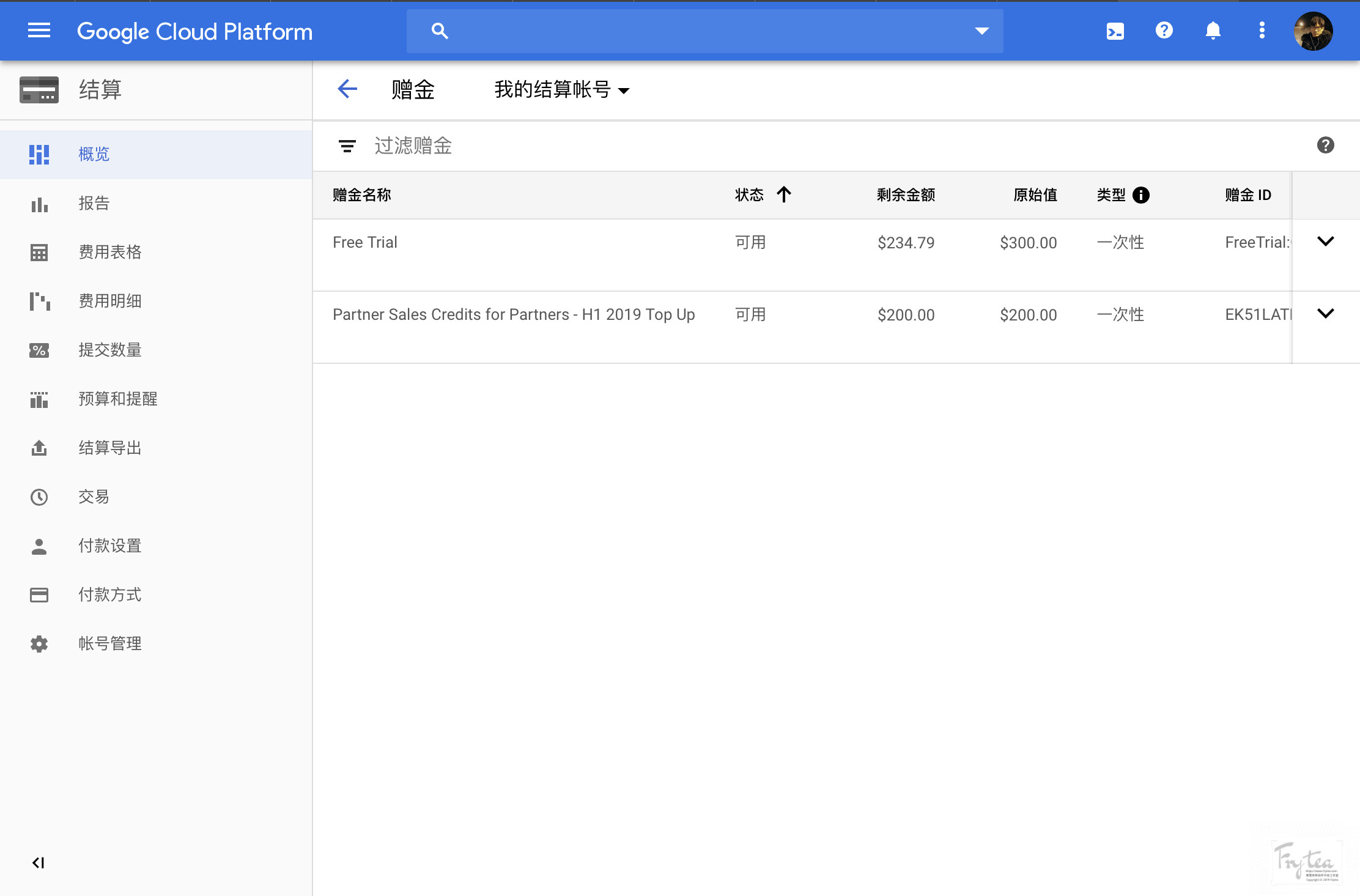
如果你是进来看领取赠金的方法,我在这里简单总结一下,但是在此我想说一下:云计算服务可以做的事情很多,如果仅仅是用于 VPS 就颇有一种大炮打蚊子的场面。GCP 等大型云服务提供商提供的稳定、灵活高可用性的云计算服务更加令人兴奋。
大致方法如下:
- 自建 GitLab (Docker,War包等方式)
- 使用root账户进入管理后台,进入添加 Kubernets 节点界面
- 检查是否有获取 GCP 赠金的入口
为 GitLab 配置 GCP 凭据实现二者对接
首先进入 GCP 云资源管理界面: cloud resource manager。
创建项目,可使用
GitLab作为项目名称,项目ID可以使用系统自动生成的,也可自己指定但必须唯一进入 API 控制台
在左上方切换到刚刚新建的项目
在左侧选择
OAuth 同意屏幕并完整填写信息从左侧 sidebar 进入
凭据,创建凭据,选择OAuth 客户端 ID,并完整填写信息应用类型选择Web 应用程序名称可使用自动生成的或自定义已获授权的 JavaScript 来源可填入您的 GitLab域名https://gitlab.example.com/已获授权的重定向 URI需包含下列两个地址https://gitlab.example.com/users/auth/google_oauth2/callbackhttps://gitlab.example.com/-/google_api/auth/callback
完成以上步骤即可得到
客户端 ID和客户端密钥, 信息后面还能看到,后面配置需要用到。为项目授权以下 APi 权限
- Google Kubernetes Engine API
- Cloud Resource Manager API
- Cloud Billing API
通过这个方法授权:
- 进入 Google API Console
- 点击
启用APi和服务 - 在搜索框内依次检索以上三个
API,进入点击启用 - 等待数分钟完成
- 修改 GitLab 配置
CodeBlock Loading...
找到以下内容进行修改:
CodeBlock Loading...
修改 YOUR_APP_ID 和 client ID为上面获取到的 GCP 密钥。
- 完成